How it works

Measure, listen, practice, and see what changes

Harmonic Recovery combines a careful pitch measurement with daily practice using your own music. Here's every step, and why it's built that way.

  1. 1. Set up your headphones

    About 5 minutes the first time, 30 seconds after

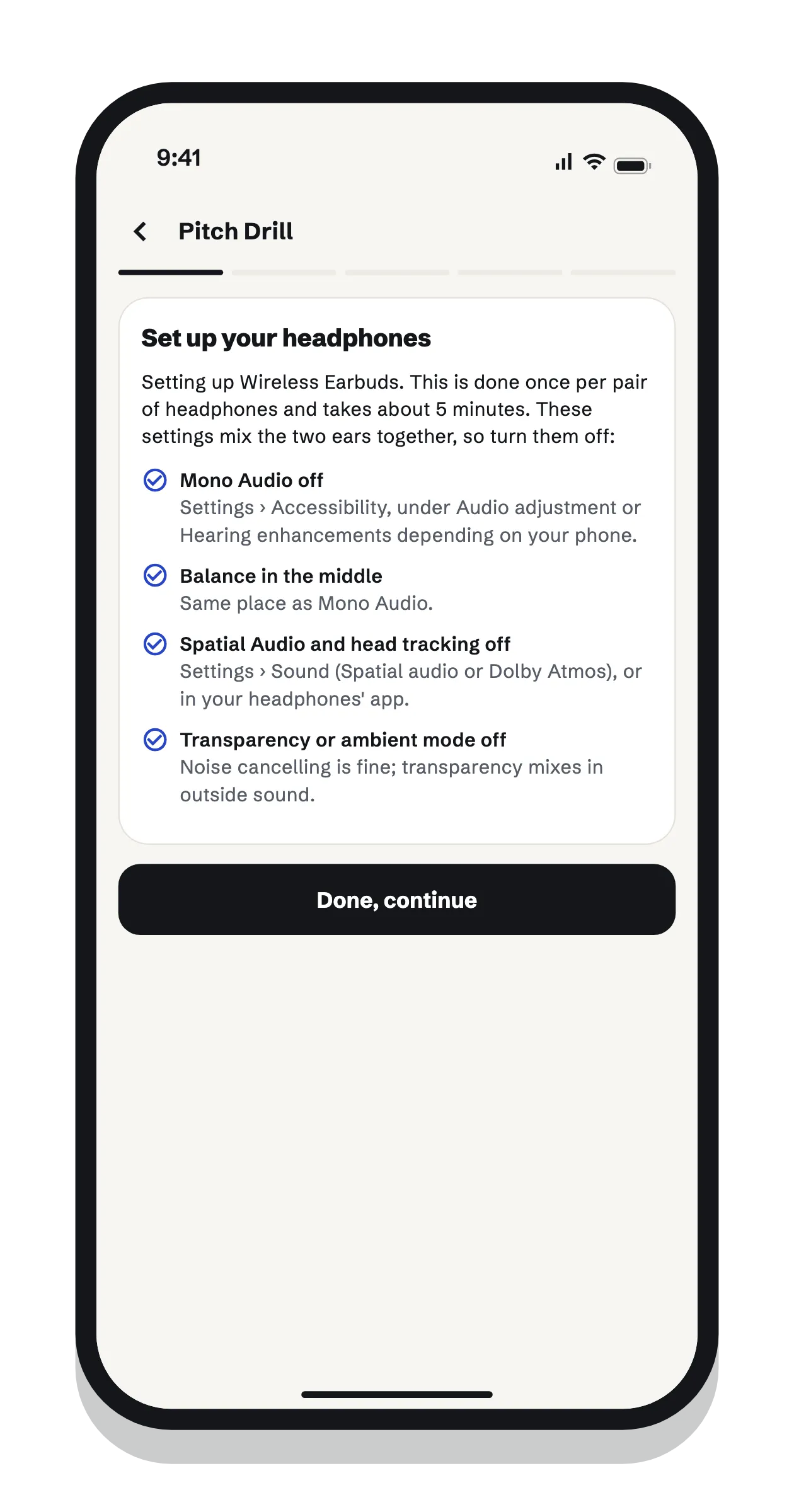
    Phones and headphones aren’t calibrated, so the app sets its tones relative to each of your ears. The first time you use a pair of headphones, it walks you through turning off settings that mix the two ears together, such as Mono Audio and spatial audio. It then finds the quietest beep each ear can hear at six frequencies.

    Next time, a 30-second check confirms your volume and earbuds are the same, so your measurements stay comparable. In-ear earbuds work best.
  2. 2. Measure the mismatch

    Full check about 6 minutes, quick check about 1

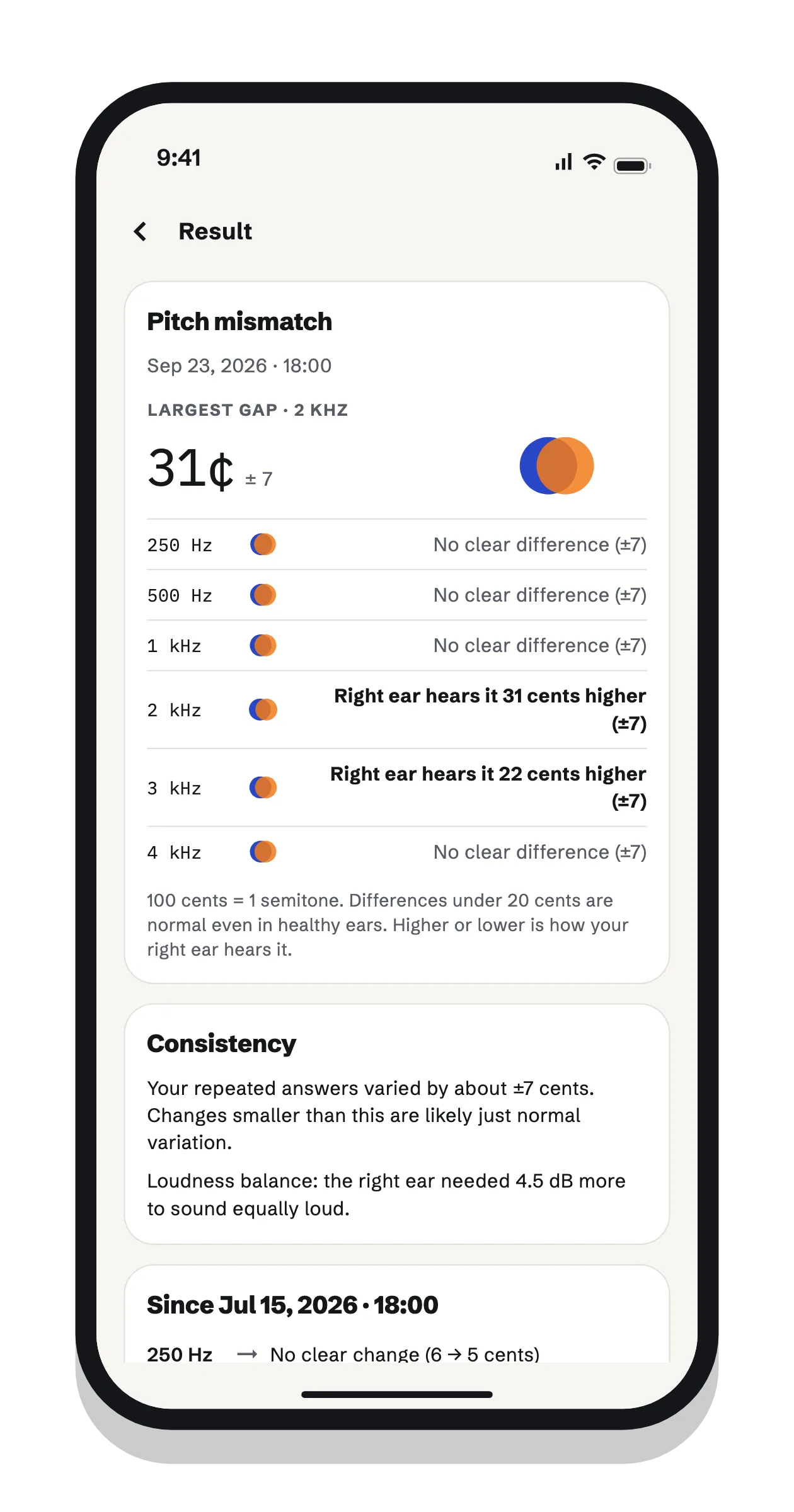
    First you match loudness between your ears, because pitch shifts with loudness. Then a tone plays in your affected ear, followed by one in your other ear, and you adjust the second until they sound like the same pitch. You do this at six frequencies, twice each, in random order, and the ears never play at the same time.

    Results are in cents (100 cents = 1 semitone), with how consistent your answers were. A quick check at your worst frequency takes about a minute.

  3. 3. Listen with a pitch hint

    With your own songs

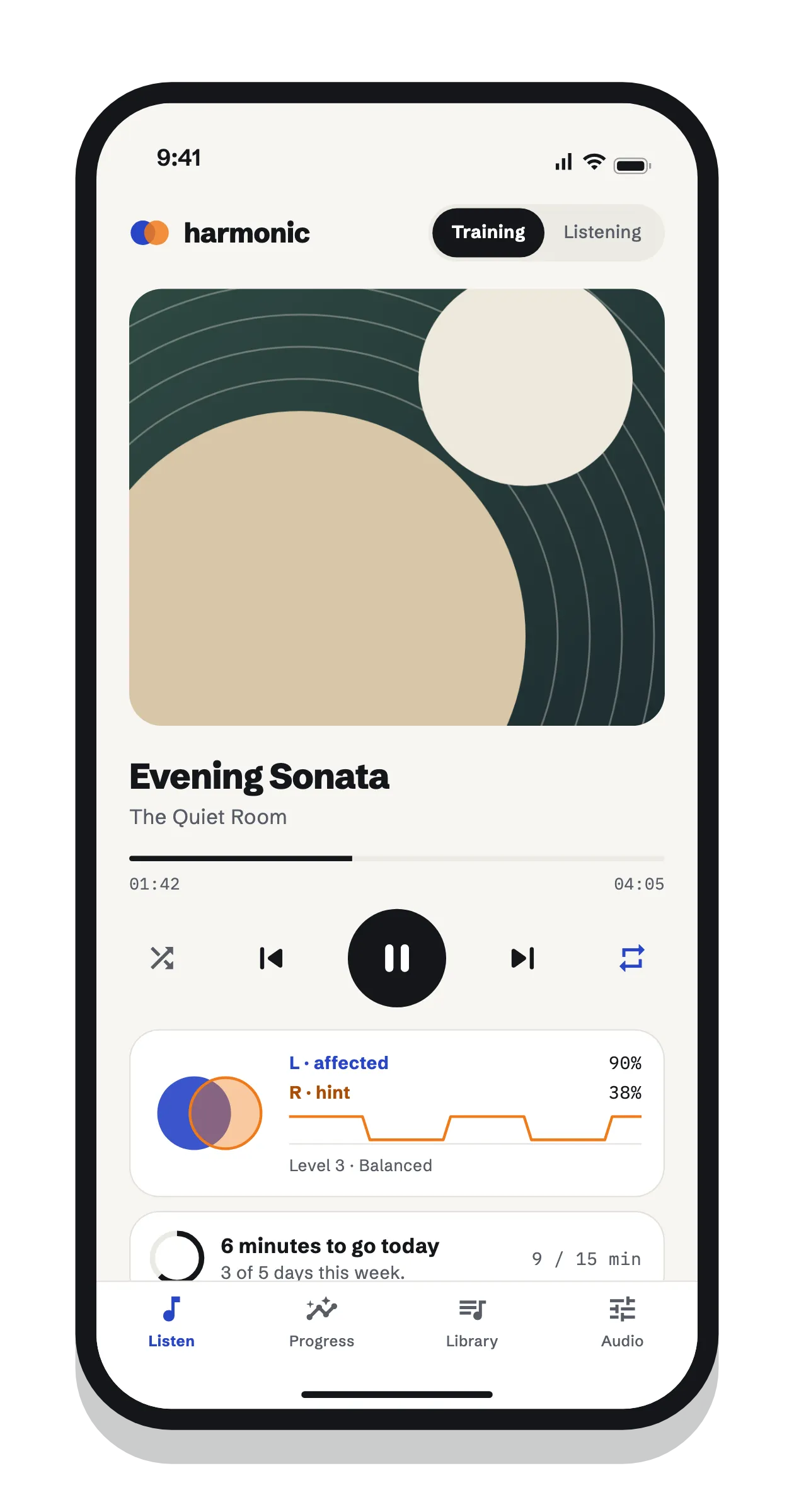
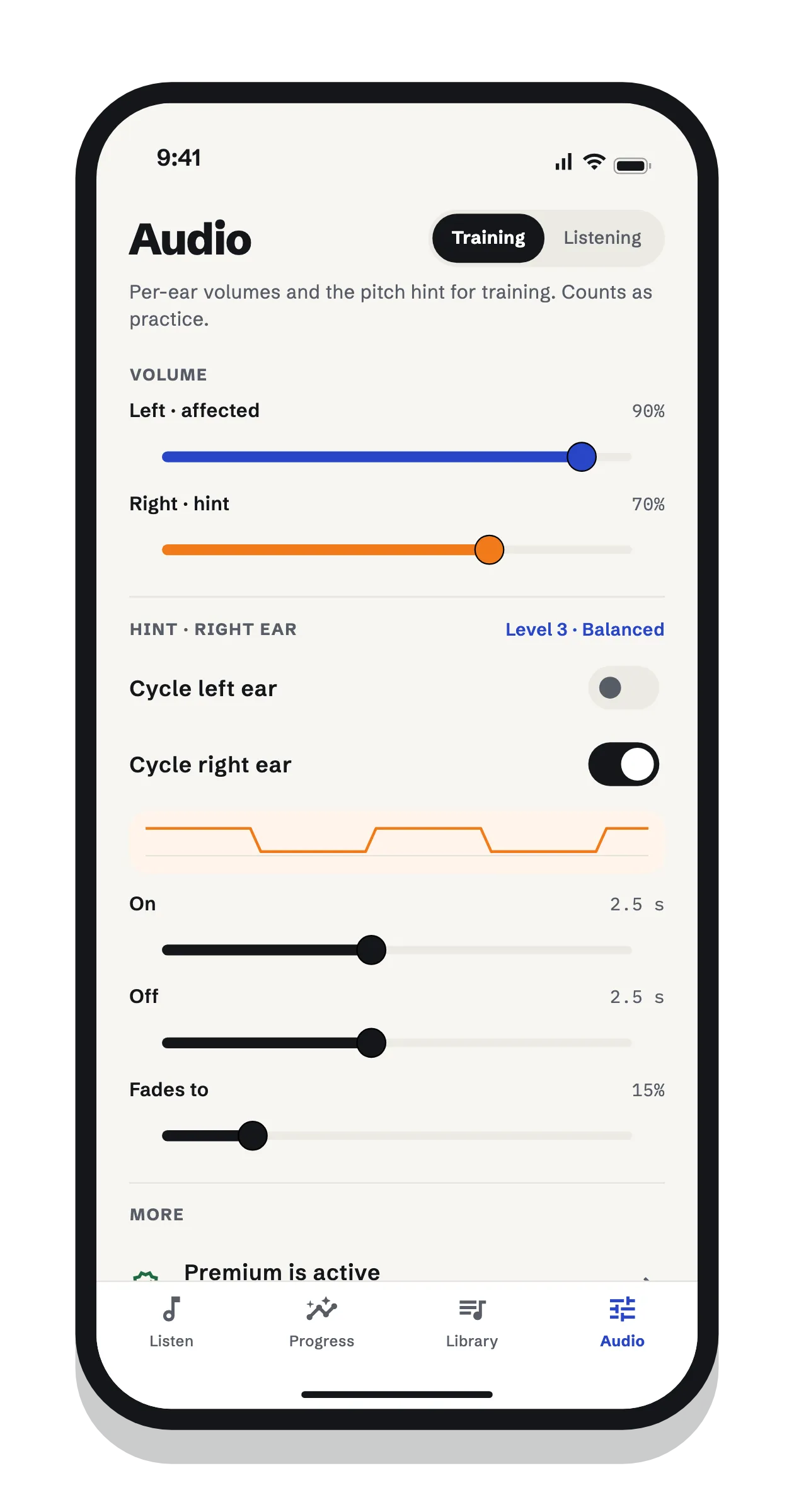
    In Training mode, your music plays clearly in your affected ear while the same music fades in and out in your other ear. The hint gives your hearing the correct pitch to compare against, then steps back so you practice holding it on your own.

    Add your own MP3s, or on iPhone, songs from your music library. Listening mode is there for simply enjoying music with your own left/right balance, with no hint.

  4. 4. Make the hint rarer as you go

    Six training levels

    Levels run from a strong hint that barely leaves to brief glimpses a few seconds apart. The app suggests moving on only after 60 minutes of practice at a level over at least 4 days, and a new hearing check that shows a clearly smaller mismatch, or one back in the normal range. Every move is your choice.

    LevelNameHint onHint offVolume while off
    1Strong hint4 s1 s50%
    2Steady hint3 s2 s30%
    3Balanced2.5 s2.5 s15%
    4Hint fades out2 s3 ssilent
    5Brief hints1 s4 ssilent
    6Glimpses0.5 s5 ssilent
  5. 5. Sharpen your ear with 3-minute drills

    Higher or lower?

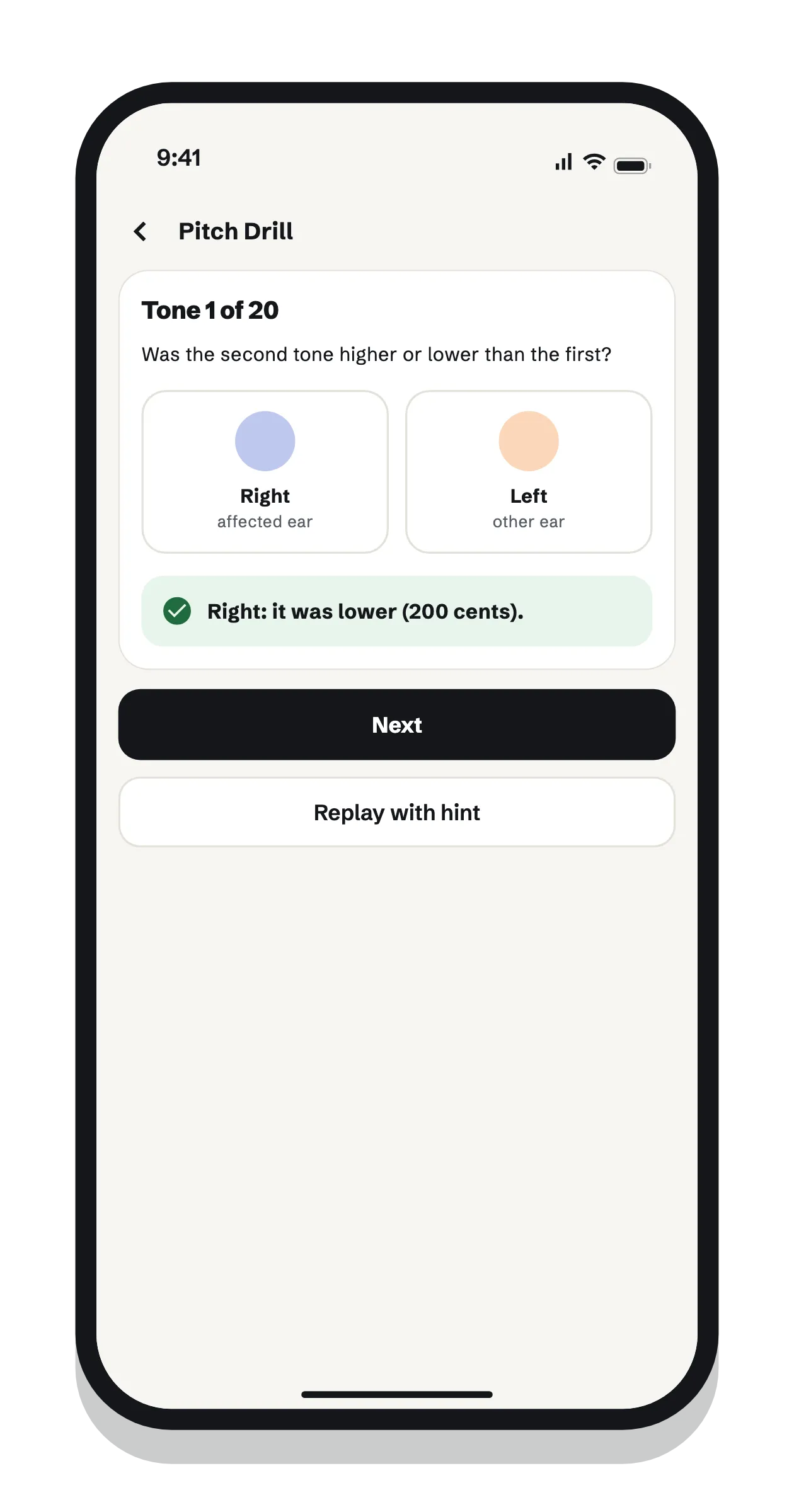
    A tone plays in your good ear, then one a little higher or lower in your affected ear, and you say which. The difference shrinks as you get answers right and grows when you miss, settling where you’re right about 71% of the time. After a miss, you can replay it with the hint.

  6. 6. See whether anything is changing

    Daily goal, streaks, trends

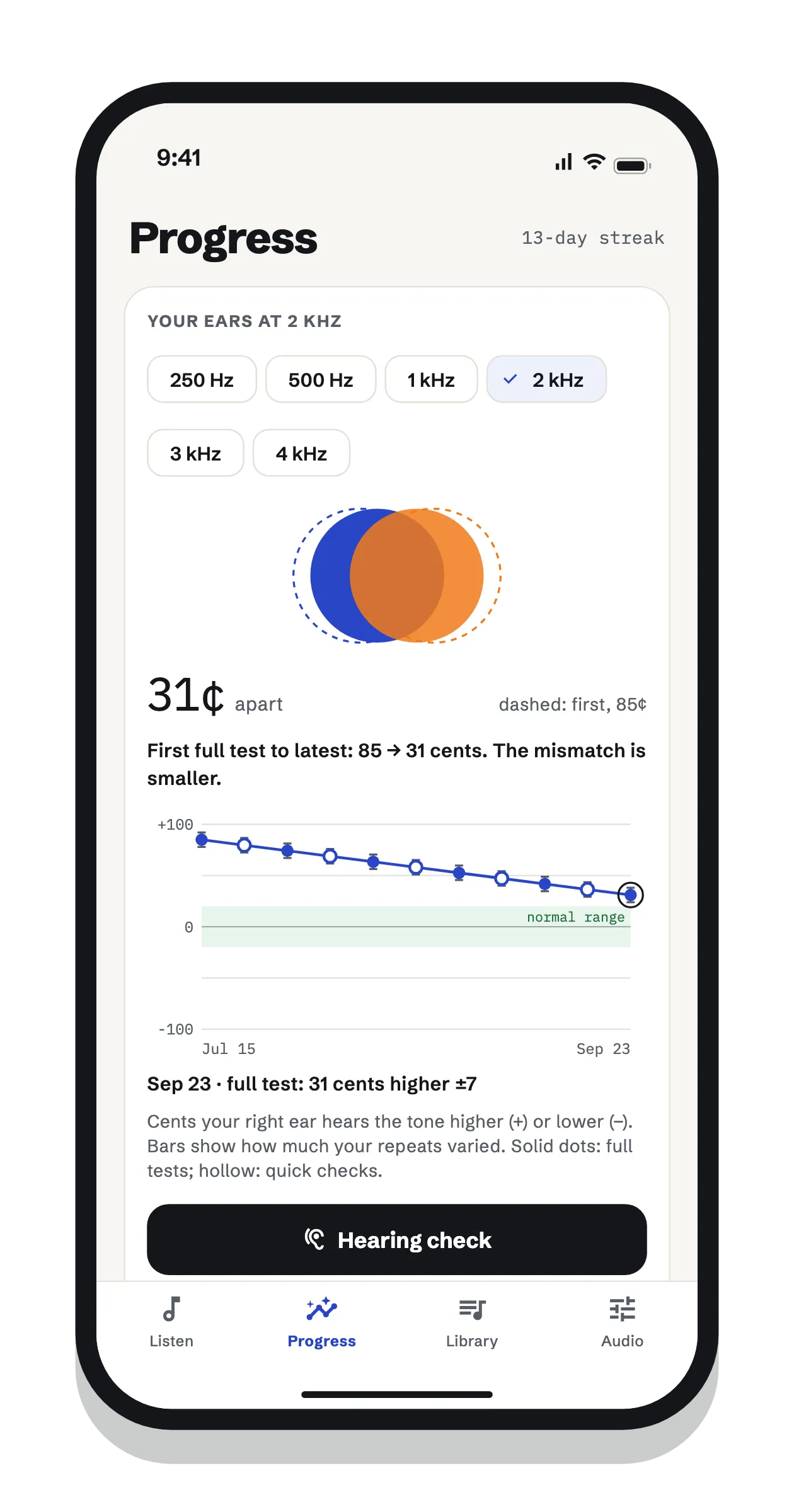
    A daily goal (15 minutes by default), streaks and a 12-week calendar keep practice steady. A chart shows your mismatch over time at each frequency, with the normal range shaded. Changes only count when they’re bigger than your own normal variation, so you get an honest answer.

What it isn't

Harmonic Recovery is a practice and self-tracking tool, not a medical device. It doesn't diagnose or treat any condition, and its hearing check isn't a clinical hearing test. The idea behind the pitch hint is plausible, but it hasn't been tested in a study. Read the research and its limits.

Free to start

Measurement and safety stay free for everyone. Premium is $3.99 a month in the US (prices vary by country), and eligible new subscribers can try it free for 7 days. Nothing is ever deleted if you stop paying: you keep every result.

FeatureFreePremium
Training with the pitch hint15 minutes a dayUnlimited, with background play
Listening mode (plain music)Unlimited, app openUnlimited, with background play
Full hearing checkEvery 14 daysAny time
1-minute quick check—✓
Pitch drills1 a dayUnlimited
Latest result and first-vs-latest comparison✓✓
Full history and trend chartsListed; details locked✓
Training levels and suggestions✓✓ plus custom hint settings
Headphone setup, streaks, calendar, daily check-in✓✓

Harmonic Recovery

Try it free

A headphone setup tuned to each of your ears, a pitch-matching check at six frequencies, a pitch hint that plays in your other ear while you listen to your own songs, 3-minute drills, and a chart that shows whether anything is changing. Free to start.

On a computer? Scan with your phone's camera to open the app in its store.